Accidentally Damaging the Graphic Card by Putting Heatsink Coppe
- 时间:2020-10-07 14:34:56
- 分类:网络文摘
- 阅读:174 次
I purchased some copper heatsinks (better than Aluminum ones as copper transfer more heat).
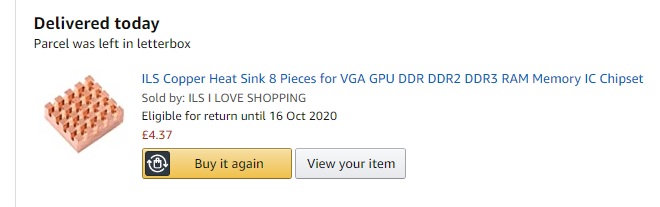
However, when I attached them one by one carefully onto my AMD Radeon 6700 Graphic card, there was a sparks of flash and my screen went black.
The HPZ800 can reboot – which still works showing some basic text on BIOS – however, the windows also went dark. I guess some units were short-circuit-ed and thus damaged.
Lessons learned: I should really do this when server is turned off. And also avoid directly attaching the copper heatsinks on the board – as it might burn the board because the copper is Conductive. You might want to attach the heatsink on the chips (CPU).
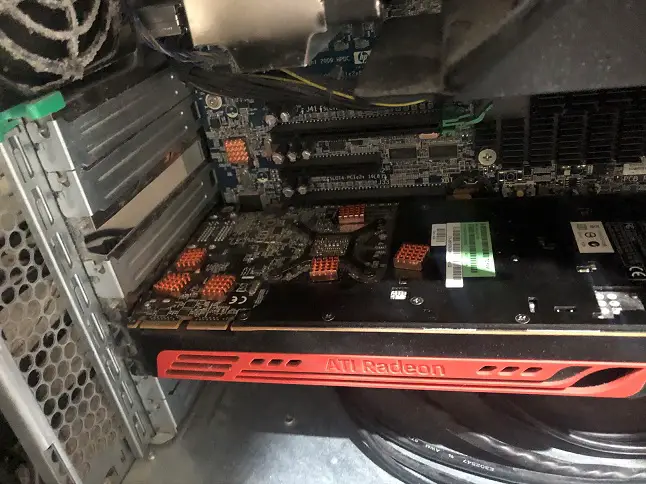
I then have to replace this graphic card with Nvida Qudra 2000 and re-attach the copper heatsinks on to the motherboard of HPZ800 server. The Nvida Qudra 2000 GPU card is not that hot – on normal temperature range of 50 to 70 degree.
–EOF (The Ultimate Computing & Technology Blog) —
推荐阅读:有甲乙两个书架 还有一元钱去了哪里了 孙老师今年36岁,陈天任今年10岁 小朋友排成一队,从前面数小力排在第10个 陈叔叔和李阿妹共同得到一笔奖金 小红看的故事书一共有多少页 两棵树上共有麻雀24只 租这辆车的车费是多少元 一个数倒过来看是正着看的1.5倍 牛吃草问题练习题
- 评论列表
-
- 添加评论