Bash Function to Check Palindrome Strings
- 时间:2020-09-17 11:25:43
- 分类:网络文摘
- 阅读:169 次
Bash Programming is Powerful and of course it is fun as well. Today, we are going to do a simple exercise in BASH programming: checking a string if it is a palindrome or not. A palindrome is a string that its reverse version is exactly the same. For example, “ABBA” and “ABCBA” are palindromes but “ABCD” and “ABCDE” are not.
An empty string and any single characters are palindromes by default. Let’s take a closer look at the following script namely check_palindrome.
1 2 3 4 5 6 7 8 9 10 11 12 13 14 15 16 17 18 19 | #!/bin/bash isPalindrome() { local s=$1 local len=${#s} for (( i=0;i<len/2;i+=1 )); do if [[ ${s:i:1} != ${s:len-i-1:1} ]]; then return 1 # false fi done return 0 # true } for word in "[email protected]"; do isPalindrome $word if [[ $? -eq 0 ]]; then echo $word fi done |
#!/bin/bash

isPalindrome() {
        local s=$1
        local len=${#s}
        for (( i=0;i<len/2;i+=1 )); do
                if [[ ${s:i:1} != ${s:len-i-1:1} ]]; then
                        return 1 # false
                fi
        done
        return 0 # true
}

for word in "[email protected]"; do
        isPalindrome $word
        if [[ $? -eq 0 ]]; then
                echo $word
        fi
done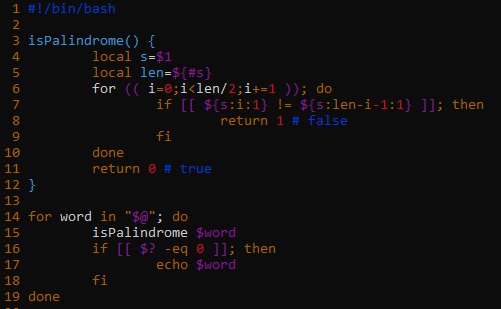
bash-function-check-string-is-palindrome
We use the following syntax to define a function in BASH script:
1 2 3 | function_name() { # function body goes here. } |
function_name() {
  # function body goes here.
}And we use local to declare local variables. The $(#variable) is used to get the length of the given string variable. We use the following for loop to iterate the first half indices:
1 2 3 | for (( i=0;i<len/2;i+=1 )); do # check character at [i] and [len-i-1] done |
for (( i=0;i<len/2;i+=1 )); do
  # check character at [i] and [len-i-1]
done
We use ${s:i:1} to retrieve the character at position i of string s i.e. s[i]. Then we need to compare the characters s[i] and s[len-i-1] that is a palindrome is mirrored by itself.
If at anytime we see a mismatch, we use return 1 to exit a bash function and give it a 1 value which means FALSE. Otherwise, after the loop ends, we return 0 which stands for TRUE.
We use:
1 2 3 | for word in "[email protected]"; do # parameter is iterated as $word done |
for word in "[email protected]"; do
   # parameter is iterated as $word
done
to iterate over the command line arguments in BASH script. Then, we call our palindrome function. And then, we check the return value from the function by using $?. If the return value is ZERO, we output the palindrome string.
Example usages:
1 2 3 4 | $ ./check_palindrome abc abba abcd 12321 abba 12321 $ |
$ ./check_palindrome abc abba abcd 12321
abba
12321
$
If you are given line-by-line strings to check in a text file, then we can use the following:
1 2 3 4 5 6 7 8 9 10 11 | $ cat words.txt abc abba abcd 12321 $ for i in $(cat words.txt); do ./check_palindrome $i done abba 12321 $ |
$ cat words.txt
abc
abba
abcd
12321
$ for i in $(cat words.txt); do
  ./check_palindrome $i
done
abba
12321
$
You can see BASH is indeed a truly powerful programming language: where there is a shell, there is a way!
–EOF (The Ultimate Computing & Technology Blog) —
推荐阅读:Algorithms to Compute the Dot Product of Two Sparse Vectors Algorithms to Compute the Largest Time for Given Digits How to Use Hash Map to Count the Frequencies of Values and Itera Ordered Three 2TB WD HDD to prolong the life expectancy of HPZ80 HPZ800 Server Does Not Support Hard Drives Larger Than 2TB Fresno Blogger Changing The Vegan Blogging Scene Russian ‘Pokemon Go’ Blogger Goes On Trial Starting a Blog? 5 Topics People Care About in 2017 6 Strategies To Grow Your Facebook Page 5 Sure Shot Content Marketing Trends to Follow
- 评论列表
-
- 添加评论