Remove the Temporary Files (including Windows.old) on Windows 10
- 时间:2020-10-11 15:17:18
- 分类:网络文摘
- 阅读:167 次
Recently I found out on my C:\ there is a folder `windows.old` probably this is due to the fact that I refreshed my Windows 10 using a Recovery software from Microsoft.
Can I safely delete Windows.old Folder?
Yes, The `windows.old` contains the previous Windows installation files, and is scheduled to be deleted after 30 days by OS. Prior to then, those files are protected and can’t be deleted unless you use the Storage sense.
Go to Settings and Navigate to Storage
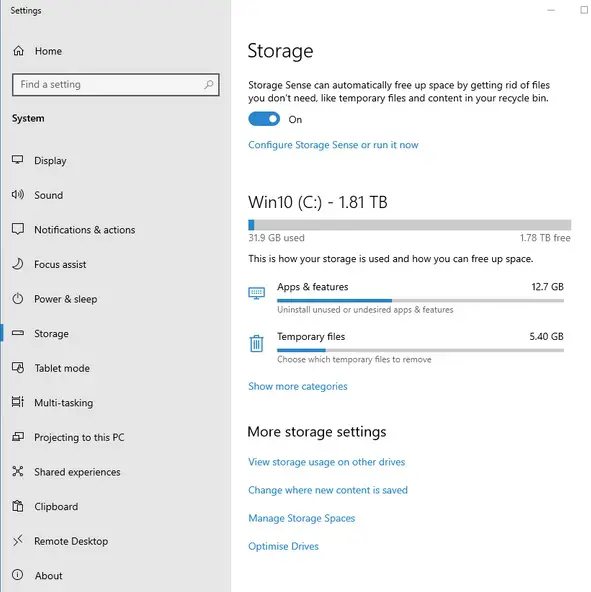
view-storage-settings-windows-10
Select the Temporary Files, you will see Previous Windows Installation, Tick it and Click Remove.
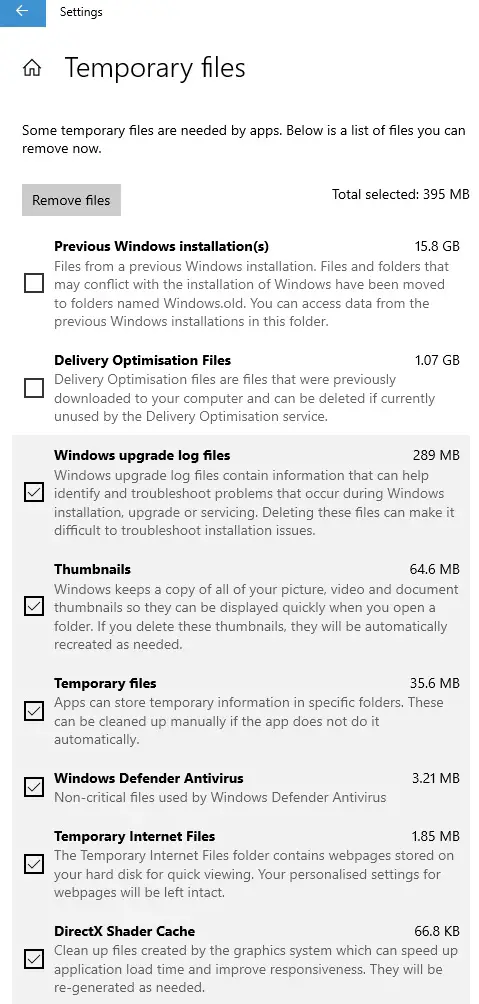
settings-remove-temporary-files
By default, the Temporary Files will be kept 30 days before they are automatically removed. You can configure the Storage sense to remove them immediately or set a shorter expiration.
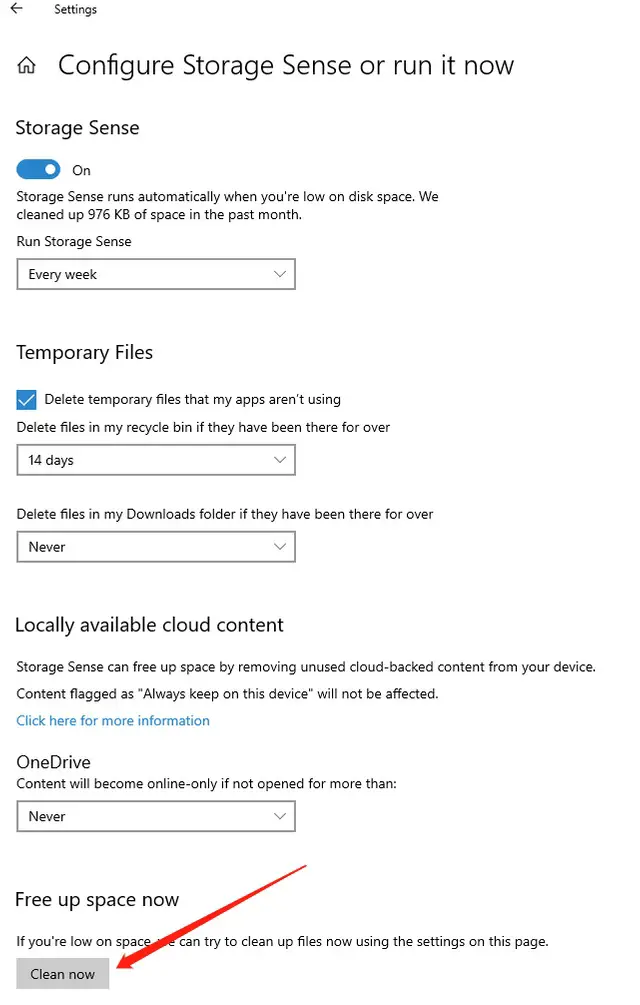
configure-storage-sense-or-run-it-now
You can also configure to let it clean the files every day, week or month. This should free up your harddisk space.
–EOF (The Ultimate Computing & Technology Blog) —
推荐阅读:数的进位制 最大公约数和最小公倍数 富兰克林的遗嘱 听出言外之意——一道三年级的数学题 小学日记大全_初中日记大全 水的故事|小学作文 落花生|小学作文 无名山半日游|小学作文 我们究竟为何而读书|小学作文 神秘的海底探索机器人|小学作文
- 评论列表
-
- 添加评论