How to Monitor the CPU Temperature of Raspberry PI using Python
- 时间:2020-09-09 13:16:32
- 分类:网络文摘
- 阅读:142 次
Raspberry PI does not have any fans – although you can either install cooling chips or CPU fans.
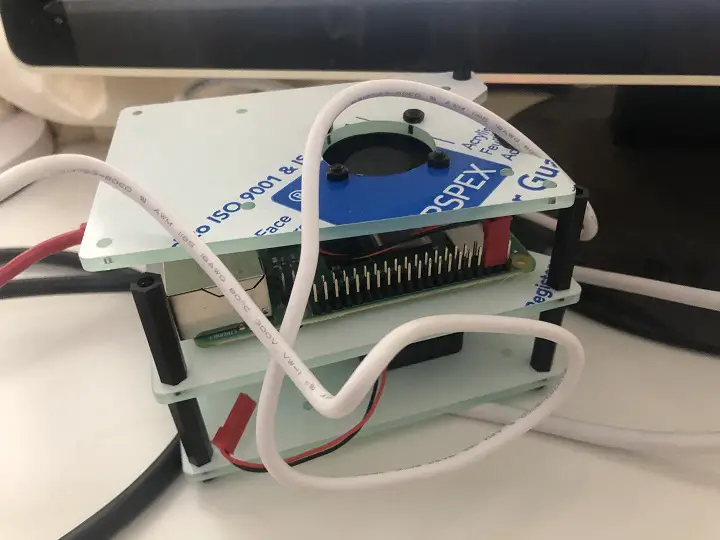
CPU Fan for Raspberry PI 4b
It would be great to monitor the temperature in case it gets too hot. The working temperature is less than 80 degree for raspberry PI. With a CPU fan, I managed to keep the CPU fan of the Raspberry PI cool with less than 30 degree.
Here is a python script that allows you to print the temperature of the CPU for raspberry PI:
1 2 3 4 5 6 7 8 9 10 | import os import time def temperature_of_raspberry_pi(): cpu_temp = os.popen("vcgencmd measure_temp").readline() return cpu_temp.replace("temp=", "") while True: print(temperature_of_raspberry_pi()) time.sleep(1) |
import os
import time

def temperature_of_raspberry_pi():
    cpu_temp = os.popen("vcgencmd measure_temp").readline()
    return cpu_temp.replace("temp=", "")

while True:
    print(temperature_of_raspberry_pi())
    time.sleep(1)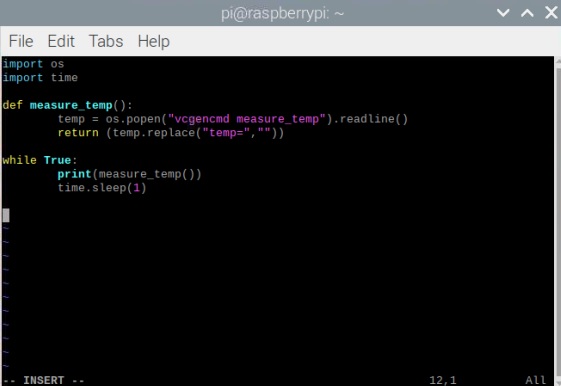
python3-script-monitor-temperature
The python script reports the temperature every second. You can run this in background and add some actions if temperature gets too high e.g. sending a email notification.
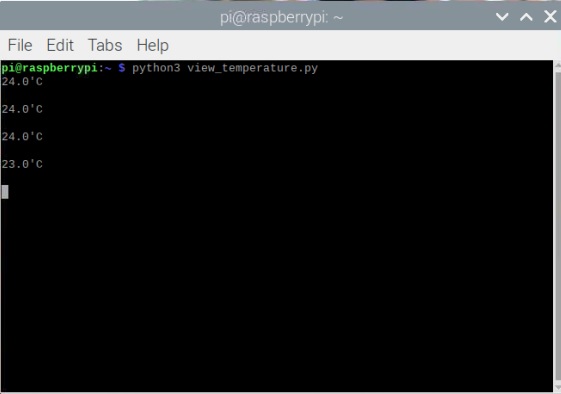
temperature-on-raspberry-pi
1 2 | if temperature_of_raspberry_pi > 80: print("CPU Temperature too high!") |
if temperature_of_raspberry_pi > 80:
print("CPU Temperature too high!")Here is a PHP script to measure the temperature on Raspberry PI: Use PHP Script to Monitor Temperature and Uptime for Raspberry PI in the Browser
–EOF (The Ultimate Computing & Technology Blog) —
推荐阅读:影响中小企业SEO排名的五个地方 权重的高低与网站收录有何关系?两者有什么关联性! Digital Business Cards App Will Change The Way You Network Forev 3 Things You Need To Know When Launching Your Startup’s Blog Instagram Influencer Marketing Is A Billion Dollar Industry [Inf 5 Social Adverts for Driving Stellar Webinar Attendance (Infogra 5 Ways to Serve Up a Tastier Food Blog to Your Audience Meet These Single Moms That Created Successful Blogs Boost Your SERP Rankings with Better Marketing Automation How to Turn Your Withering Blog Posts into Fully-Fledged Plants
- 评论列表
-
- 添加评论